Cartwright Labs / TariffLine
TariffLine
For Shopify · In App Store reviewFor Shopify merchants who import products.
Recover import costs automatically on eligible orders.
Set your recovery rates by country, and TariffLine applies the appropriate surcharge when product-origin information is available.
How it works
From install to recovered costs in one sitting.
STEP 1
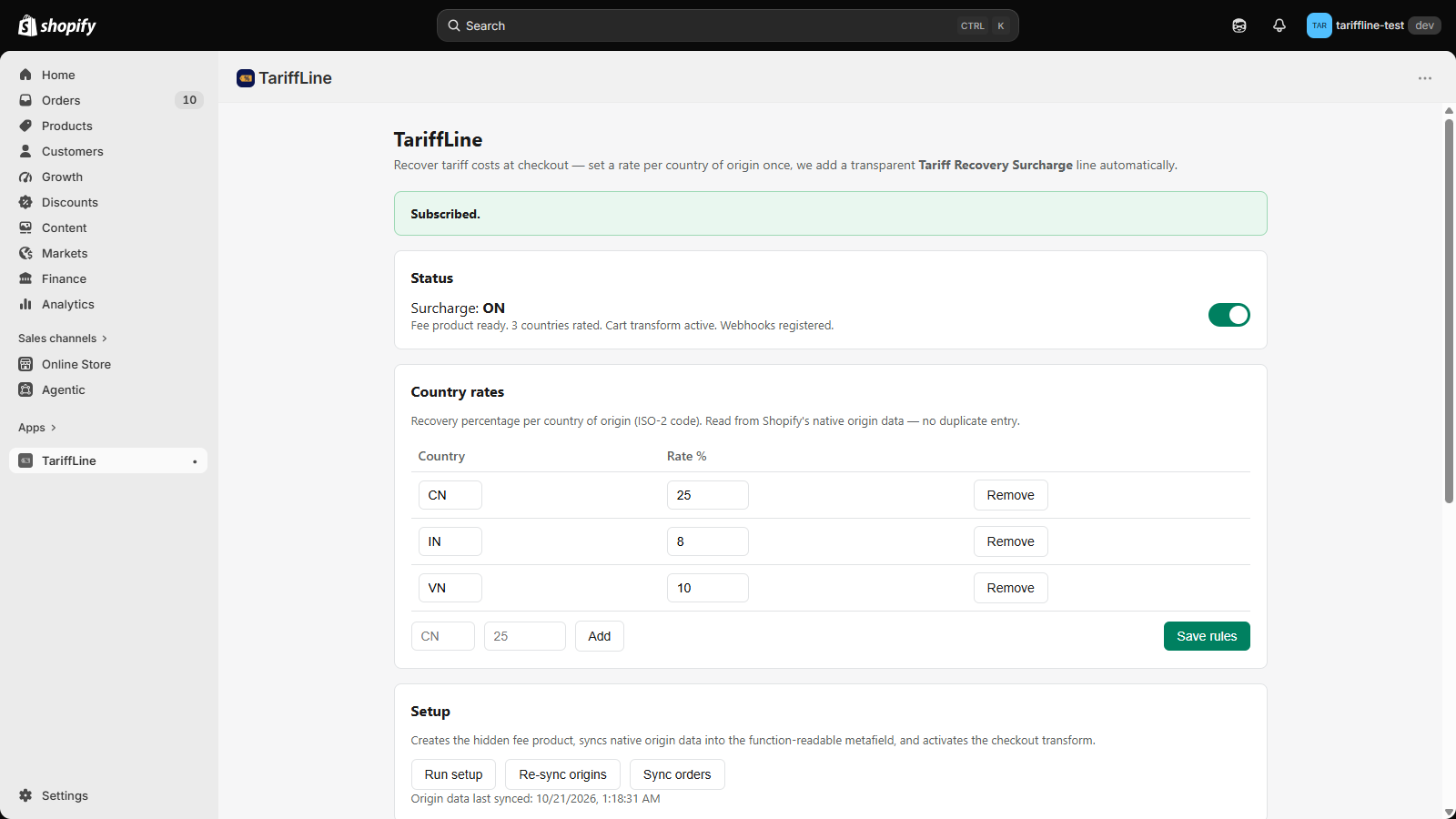
Set your rates
Enter what imports cost you, per country of origin — the percentage you pay when stock lands. Two minutes, once.
STEP 2
Checkout does the rest
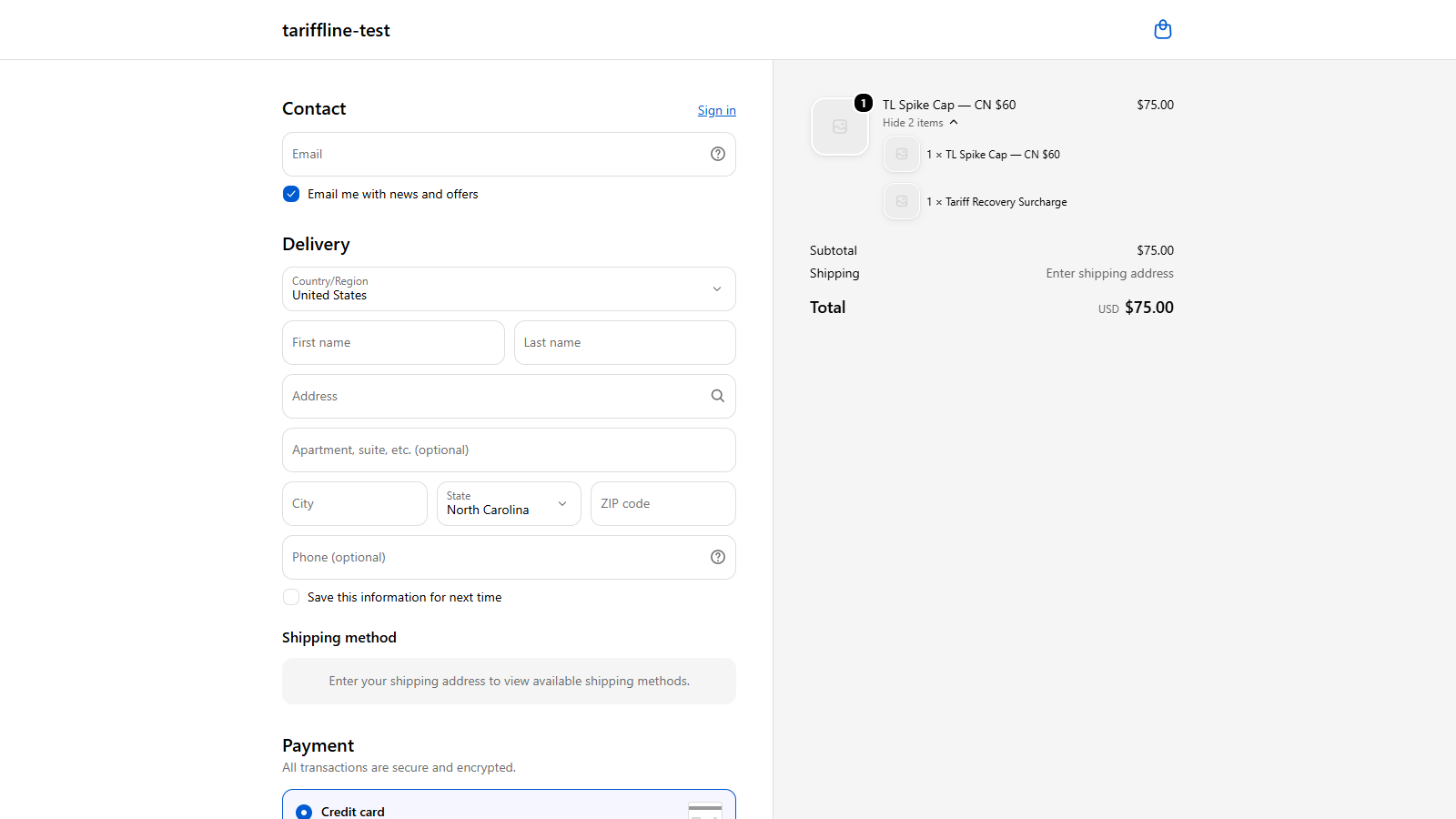
Every order containing imported products gets the right surcharge added automatically, shown to your customer as a clear separate line.
STEP 3
Watch it come back
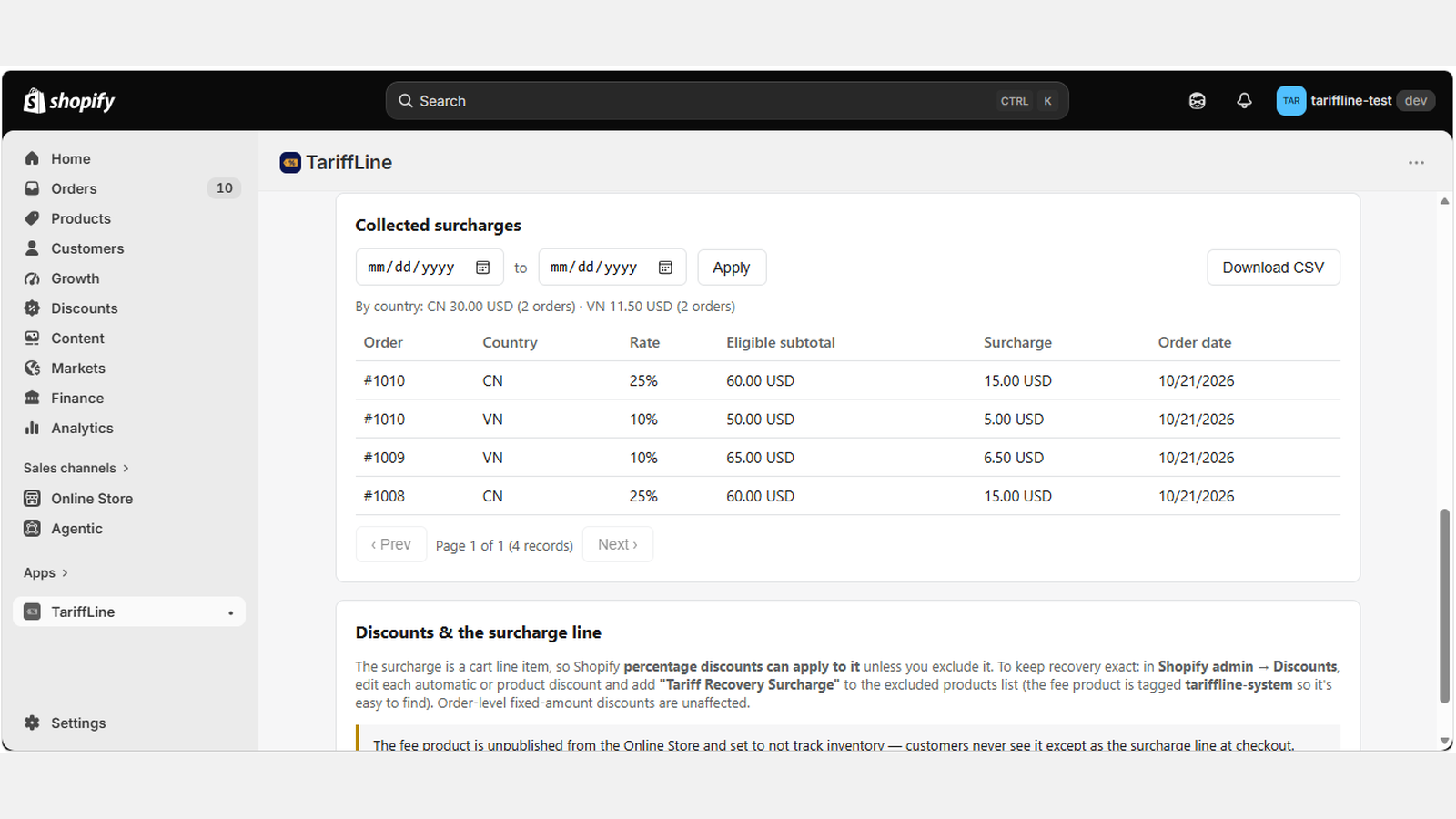
Your report shows exactly how much you've recovered, order by order and country by country. Change a rate any time; it applies from the next order.
Questions merchants ask
Straight answers, before you install.
Is TariffLine a tax or duty calculator?
No — and that's deliberate. TariffLine doesn't calculate what any government says you owe, and it isn't tax software. You decide the recovery rate that reflects your own import costs; TariffLine simply collects it for you, consistently, at checkout.
What do my customers see?
One extra line in the order summary, labeled "Tariff Recovery Surcharge," with the amount — visible before they pay.
What if my subscription payment lapses?
Nothing breaks and nothing is lost. Your rates and history stay saved, and the moment your subscription is current again, collection resumes exactly where it left off — no re-setup.
Can I change rates later?
Any time, in seconds. New rates apply to new orders from the moment you save them — useful when tariff rates move and your costs move with them.
What if a product has no country of origin listed?
No surcharge is added for that product, and nothing breaks; the order goes through normally.
What about an order with products from different countries?
Each line is charged at its own origin country's rate, and the surcharges are combined into a single fee line at checkout.
What happens to the surcharge if an order is refunded?
The surcharge is a normal line item on the order, so it refunds through Shopify's standard refund flow like any other line item.
Does it work with my checkout setup?
It uses Shopify's cart transform at standard Shopify checkout; there is nothing to change in your checkout.
Watch the demo
See TariffLine working inside Shopify — setting rates and the surcharge at checkout.
One flat price. Every feature included, no percentage of your sales, no per-order fees.
Get early accessTariffLine is completing Shopify App Store review. Join the early-access list below and we'll notify you the day it can be installed. Install from the Shopify App Store and the 14-day free trial will appear here as soon as TariffLine is listed. Want help sooner? Contact support or watch the demo above.
Get early access to TariffLine
One email the day TariffLine can be installed. Nothing else, no list-sharing — see our privacy policy.